> ## Documentation Index
> Fetch the complete documentation index at: https://learn.byword.ai/llms.txt
> Use this file to discover all available pages before exploring further.
# Write from sitemap
> See what your competitors are doing, and do it better
Byword's newest feature allows you to create improved versions of content straight from a competitor's sitemap. This strategic approach helps you identify exactly what topics your competitors are targeting and create better content on those same topics.
## How it works
The Write From Sitemap feature lets you scan a competitor's sitemap, select which URLs you'd like to target, and generate improved articles based on their content structure.
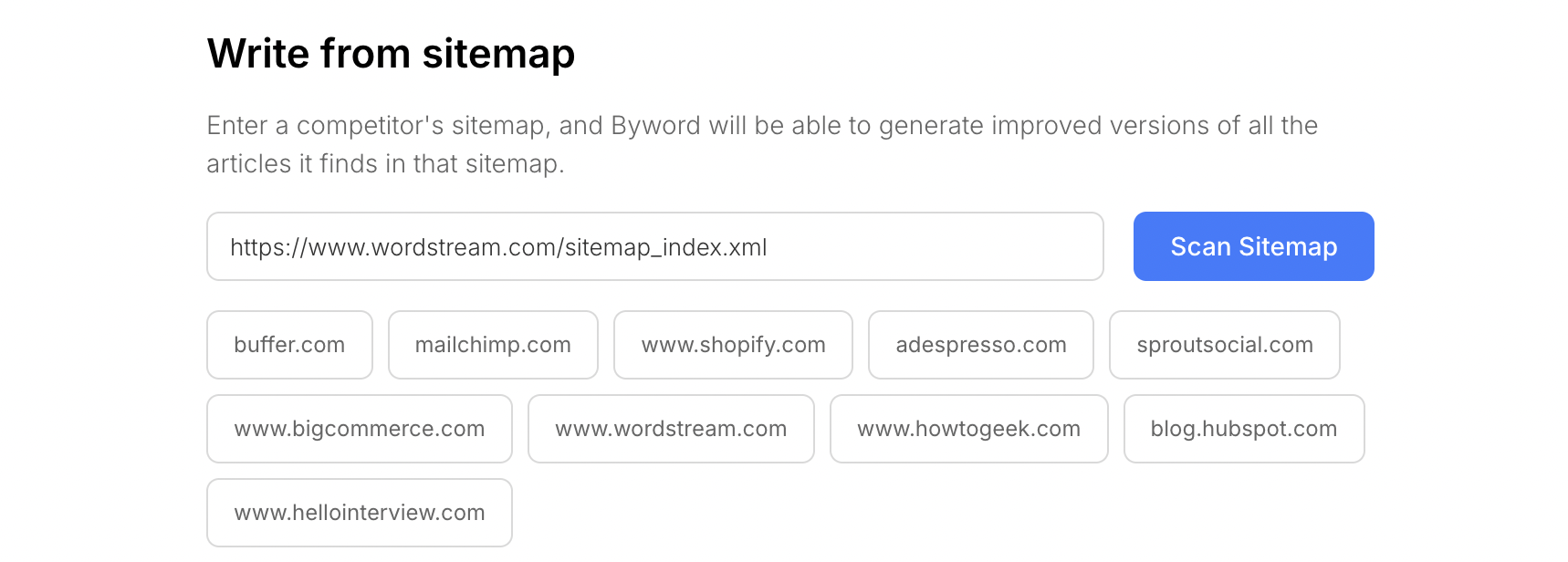
### Step 1: Enter a competitor's sitemap
Enter the URL of your competitor's sitemap. Most websites have their sitemap at `/sitemap.xml` or similar locations.
 ### Step 2: Review and filter results
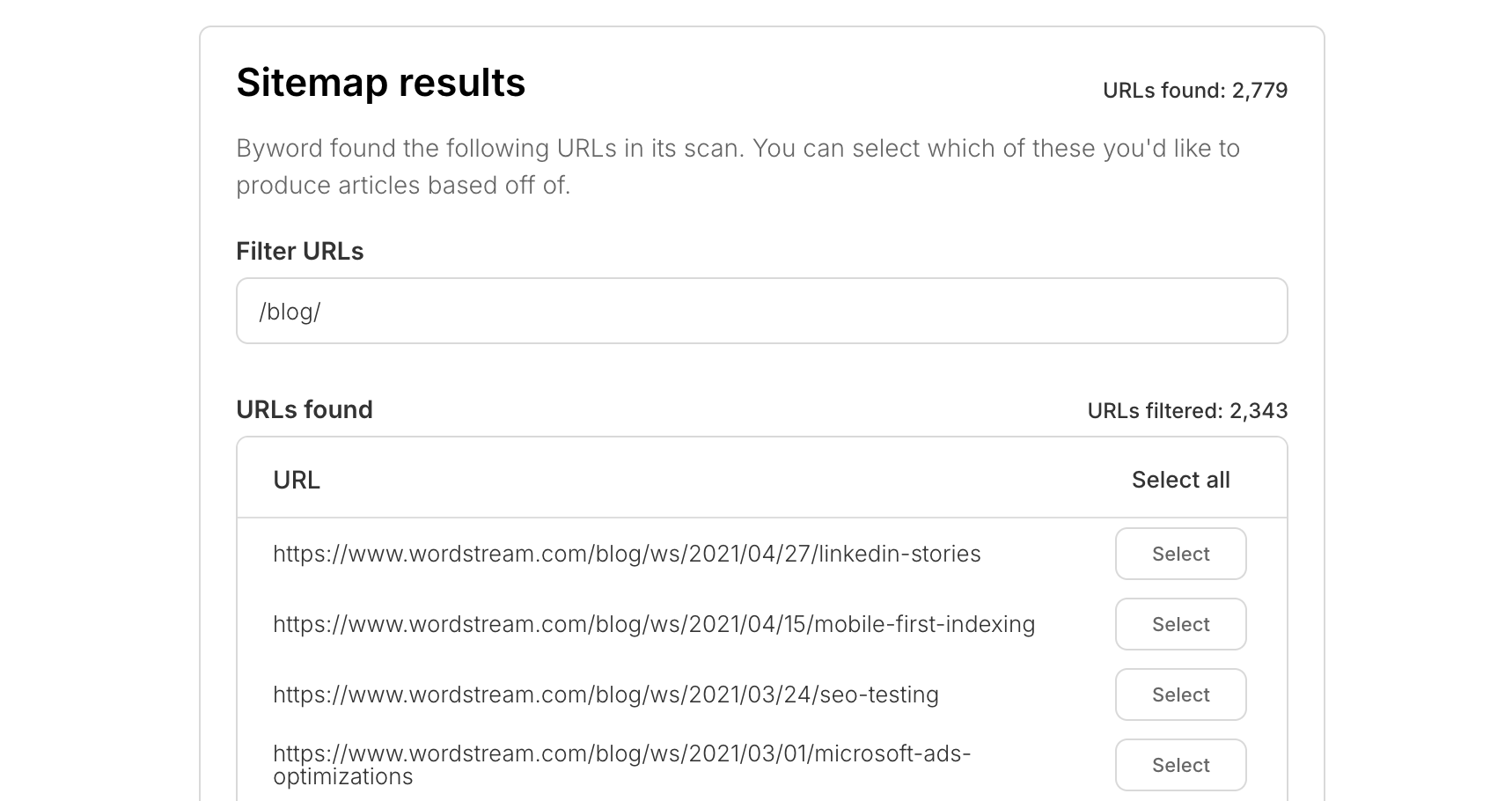
Once Byword scans the sitemap, you'll see all the URLs that were found. You can filter these results to find specific content types or topics you're interested in.
### Step 2: Review and filter results
Once Byword scans the sitemap, you'll see all the URLs that were found. You can filter these results to find specific content types or topics you're interested in.
 ### Step 3: Select URLs to target
Choose which URLs you'd like to analyze and improve upon. You can select individual URLs or use the "Select all" option if you want to target everything that matches your filter.
### Step 4: Preview and generate
Byword will analyze the selected URLs and create article previews showing the structure and headings that will be used in your new content. You can review these previews for free before deciding whether to generate the full articles.
## Benefits of using Write From Sitemap
* **Strategic content creation**: Target topics that are already proven to work for your competitors
* **Time-saving research**: Quickly identify content gaps and opportunities without manual research
* **Free previews**: See the article structure before using any credits
* **Improved content**: Generate articles that are better than your competitors' content
## FAQs
While Write From URL lets you analyze individual competitor URLs one at a time, Write From Sitemap allows you to scan an entire sitemap at once, giving you a comprehensive view of your competitor's content strategy. You can then filter and select specific URLs to target from the complete list.
Scanning sitemaps and previewing article structures is completely free. You only use credits when you decide to generate the full articles (1 credit per article, or using your API key for Unlimited users).
Currently, the feature supports scanning sitemaps with up to 1,000 URLs. This limit helps us maintain system stability while providing comprehensive coverage for most websites.
Standard XML sitemaps work best with this feature. The tool performs optimally with sitemaps from blogs and informational websites with clear content structures. Sitemaps that primarily contain product pages or non-article content may not yield the best results.
Yes! Your scan results are saved in your Byword account, so you can come back to them later and continue generating articles from the same sitemap scan without having to scan it again.
### Step 3: Select URLs to target
Choose which URLs you'd like to analyze and improve upon. You can select individual URLs or use the "Select all" option if you want to target everything that matches your filter.
### Step 4: Preview and generate
Byword will analyze the selected URLs and create article previews showing the structure and headings that will be used in your new content. You can review these previews for free before deciding whether to generate the full articles.
## Benefits of using Write From Sitemap
* **Strategic content creation**: Target topics that are already proven to work for your competitors
* **Time-saving research**: Quickly identify content gaps and opportunities without manual research
* **Free previews**: See the article structure before using any credits
* **Improved content**: Generate articles that are better than your competitors' content
## FAQs
While Write From URL lets you analyze individual competitor URLs one at a time, Write From Sitemap allows you to scan an entire sitemap at once, giving you a comprehensive view of your competitor's content strategy. You can then filter and select specific URLs to target from the complete list.
Scanning sitemaps and previewing article structures is completely free. You only use credits when you decide to generate the full articles (1 credit per article, or using your API key for Unlimited users).
Currently, the feature supports scanning sitemaps with up to 1,000 URLs. This limit helps us maintain system stability while providing comprehensive coverage for most websites.
Standard XML sitemaps work best with this feature. The tool performs optimally with sitemaps from blogs and informational websites with clear content structures. Sitemaps that primarily contain product pages or non-article content may not yield the best results.
Yes! Your scan results are saved in your Byword account, so you can come back to them later and continue generating articles from the same sitemap scan without having to scan it again.